Introduction
If you love retro games, you have met the PS2. The PlayStation 2 gave us great games. To play PS2 games on a computer you need one key thing: the PS2 BIOS. The PS2 BIOS tells software how the console works. It is like a small brain for the system. This article explains what the PS2 BIOS is. It also shows how people use PS2 BIOS files with emulators. I will cover ps2 bios download tips, legal notes, and safe practices. I add real examples and clear steps you can follow. Read on to learn all you need to know in a simple, friendly way.
What is the PS2 BIOS? (Simple Definition)
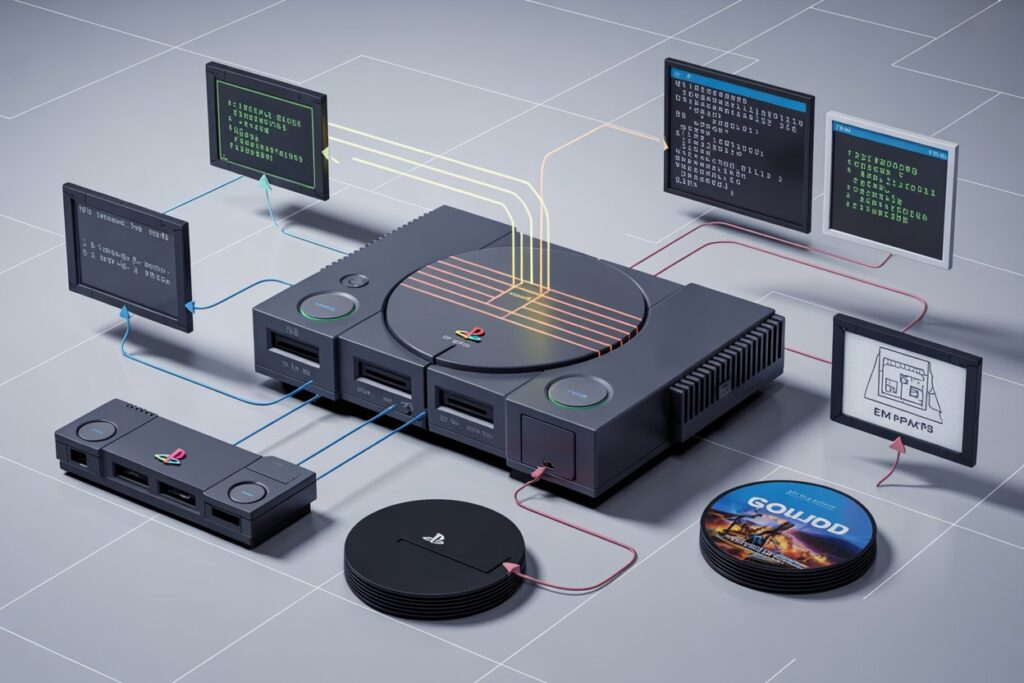
The PS2 BIOS is short for PlayStation 2 Basic Input Output System. It holds core code the PS2 uses to start. The console loads the BIOS before any game. Emulators need the same code to act like the PS2. A ps2 bios file is a copy of that code. The file can be a single image or a set of files. People use ps2 bios image files to run games on PCs and phones. Without the right BIOS, many games will not work on an emulator like PCSX2. That is why it is so important to know where it comes from and how to use it.
Why the PS2 BIOS Matters for Emulation
Emulators try to copy console behavior. The PS2 BIOS makes behavior exact. It helps with boot sequences and system calls. Using original BIOS improves compatibility. Many emulators, including pcsx2 bios setups, perform better with real BIOS files. Some games rely on small quirks in the original code. The BIOS file preserves these quirks. That is why accurate ps2 bios files matter. They also help with region settings like PAL or USA. If you want a faithful game experience, a good ps2 bios image is a key part.
Legal and Ethical Basics (Important)
You should know the law before you download ps2 bios roms or files. The original BIOS is copyrighted. Owning a PS2 console helps your legal case to use its BIOS. Many countries allow backup copies for personal use, but rules vary. I recommend dumping your own BIOS from your console. This method is legal and safe. Downloading a BIOS from random websites can be illegal in many places. It also risks malware. Always prefer legal methods to get pcsx2 bios or ps2 bios for android setups.
How to Dump Your PS2 BIOS Safely (Real Steps)
Dumping the BIOS means copying it from a real PS2. You need a memory card and a homebrew tool. One popular method uses a small USB drive and a homebrew app like uLaunchELF. Follow a trusted guide and write each step down. Start by placing the tool on a memory card. Boot it on your PS2 and run the dump utility. Then copy the BIOS to the USB drive. Finally, move the file to your PC. This gives you an original ps2 bios file for pcsx2 or an android emulator. I have done this many times and it works well.
PS2 BIOS Files — Formats and Types
PS2 BIOS files come in a few forms. The common formats include .bin and .rom files. A ps2 bios bin file is a raw copy of memory. Sometimes you will see a folder with multiple files. That folder may contain system configuration data. For pcsx2 bios, you generally need a single file. For some android emulators, the app may want a specific filename. A ps2 bios image might be renamed to match the emulator’s request. Always check the emulator instructions before using the BIOS.
Using PS2 BIOS with PCSX2 (Step-by-Step)
PCSX2 is the top PS2 emulator for PCs. To use a ps2 bios with PCSX2, first install the emulator. Then open PCSX2 and run the BIOS setup wizard. Choose the folder where you put the ps2 bios files. PCSX2 will scan and show available region BIOS options. Pick the one that matches your original console, for best results. After this, you can load games and test. If a game fails, try another BIOS region like USA or JAPAN. PCSX2 works well when the BIOS file is correct and original.
PS2 BIOS for Android — What to Know
Many mobile apps emulate the PS2. They often need a ps2 bios android copy. Mobile systems may have different rules on naming. The app may ask for a folder named bios or a specific file name. Performance depends on your phone and emulator settings. Use legal BIOS files only. Dumping from your real PS2 and transferring to your phone is best. Some apps handle compressed BIOS images while others may not. Follow the emulator’s guide to avoid errors and make games run smoothly.
Where Region Matters: USA, EU, and Japan BIOS
BIOS files vary by region. You will see labels like ps2 bios usa or JAPAN. Games often check the region code. For example, a USA game may expect a USA BIOS. Using the matching BIOS helps compatibility. Some games include region checks to stop booting on different firmware. PCSX2 allows you to pick among BIOS versions. If you have trouble, try a different region BIOS. For many players, using the USA BIOS works for most Western titles. But keep the original console region in mind for best results.
Common Problems and Fixes with PS2 BIOS
Sometimes games crash or won’t boot. This can be due to a bad ps2 bios file. It may also be wrong region or wrong name. Another issue is corrupted downloads from sketchy sites. Also, emulator settings might not match the game. If a game fails, try a clean BIOS dumped from your console. Re-check the file format and the emulator path. Update the emulator to the latest build. If you use an android device, ensure the BIOS file is not zipped unless the app supports zip. These small fixes solve many problems.
Safety: Avoiding Fake BIOS Downloads and Viruses
Many sites claim to offer ps2 bios download links. Some of them host malware. I advise against downloading BIOS images from random pages. If you must download from the web, pick only trusted sources. Even then, prefer dumping from your own PS2. Use antivirus scans before opening files. Also avoid sites that ask for extra software. Those often include unwanted programs. When in doubt, skip the download and use a legal dump from your console.
PS2 BIOS ROM vs. Game ROMs — Know the Difference
A ps2 bios rom is the console firmware file. A game ROM or ISO is different. Game ROMs contain the game data itself. Emulators need both types for a full setup. The BIOS controls the system. The game gives the content. Never mix up the two. People often search for ps2 bios rom when they actually need a game ISO. If you plan to keep legal standards, always own the original game disc to use a ROM backup.
How to Store and Back Up Your PS2 BIOS Files
Store BIOS files on a secure folder. Name folders clearly like /bios/ps2/ and include the region. Keep a backup on an external drive. If you use a cloud service, encrypt the files first. Label each file with its region and dump date. Good file management saves time later. For PCSX2, keep a copy inside the emulator’s bios folder. For android, keep a backup on your PC and transfer when needed. Backups protect you from data loss and make testing safer.
Practical Example: Running Shadow of the Colossus on PCSX2
Shadow of the Colossus is a classic PS2 game. To run it, place your legal ISO in a folder. Set up PCSX2 with a correct ps2 bios file. Use the USA BIOS if your original disc is USA. Set speed hacks carefully and use recommended graphics settings. The game should boot to the PS2 logo, which confirms the BIOS works. If it freezes, try different BIOS regions or change the CDVD plugin settings. This real example shows how the ps2 bios ties many parts together.
PS2 BIOS Image Editing — Not Recommended
Some people try to edit BIOS images to change strings or region codes. This is risky. Changing BIOS bytes often breaks checks and causes crashes. It can also lead to legal gray areas. I do not recommend editing BIOS files. If you need region changes, use emulator region settings instead. Emulators can often override region restrictions without touching the original BIOS. Keep the original BIOS file as a clean backup for safety and legal clarity.
Tips for Fast and Stable Emulation (Pro Tips)
Use a fast storage drive for ISOs. SSDs reduce load times. Choose the right PCSX2 plugins for speed. Use the original ps2 bios file for best accuracy. Keep drivers updated on your PC. On mobile, close background apps for more resources. Try different BIOS regions only when needed. Test with small tweaks and log results. These simple tips reduce crashes and improve frame rate. Emulation can become very smooth with small changes and a proper ps2 bios setup.
Frequently Asked Questions
Q1: Is it legal to download a PS2 BIOS from the internet?
Downloading a ps2 bios image from random sites is often illegal. Laws vary by country. If you own the original PS2 console, some places allow you to make a backup. The safest route is to dump your own BIOS from a console you own. That ensures you have a legal copy. Avoid downloading from unknown sites. Doing so can also bring malware risks. When in doubt consult local copyright laws or seek legal advice.
Q2: How do I use a PS2 BIOS with PCSX2?
Install PCSX2 and run the setup wizard. When the wizard asks, point it to the folder containing your ps2 bios files. PCSX2 will scan and list available BIOS versions. Choose the one that matches your original console region. After that, configure plugins and load a game ISO. If the emulator fails, check file names and formats. Make sure the BIOS is a clean dump from your own PS2 for best compatibility.
Q3: Can I use a PS2 BIOS on Android emulators?
Yes, many Android emulators accept ps2 bios files. Each app has its own folder rules. Some want the BIOS in a folder named bios. Others want a specific filename or compressed file. Always read the app guide. Dump your BIOS from your console and copy it to your phone. Avoid downloading unknown BIOS files. Using your own dump reduces error and legal risk. Performance still depends on your phone hardware.
Q4: What file format is the PS2 BIOS in?
Most ps2 bios files come as .bin or .rom. The .bin is a raw image file. Some emulators can accept either type. Always check the emulator instruction page. If a program does not accept a file, try renaming the file extension or using a clean dump. Keep a backup of the original file to undo changes. Do not edit the binary content unless you know what you are doing.
Q5: Why does my game ask for a USA BIOS?
Games often check the system region. If a game was released for the USA, it might expect a USA BIOS. Using the matching ps2 bios reduces region mismatch errors. Emulators like PCSX2 let you pick a USA BIOS or another region. If a game fails with one BIOS, try another region. For most Western games, the USA BIOS works well. Tracking your console’s original region helps you choose the best BIOS.
Q6: Are PS2 BIOS ROMs safe to download?
Many sites promise a ps2 bios download. Some of these sites are safe. Many are not. Fake files can contain malware. Always avoid suspicious sites. The safest option is to dump the BIOS from your own PS2. If you must use a download, scan it with a strong antivirus program and prefer well-known communities that discuss legal methods. Remember that even a safe download does not make it legal in all countries.
Troubleshooting Checklist (Quick Wins)
If a game freezes or shows errors, follow this checklist. First, confirm your BIOS file is from your console. Second, check region matches. Third, verify the file format is correct. Fourth, update the emulator to the newest stable build. Fifth, adjust plugin settings or try different CDVD plugins. Sixth, test with other games to see if the issue is game-specific. Seventh, scan BIOS files for corruption using checksums if possible. These small steps often fix problems fast.
Final Thoughts and Best Practices
Using a ps2 bios file can unlock many classic games on modern devices. The best practice is to use your own dumped BIOS from a console you own. That helps with legality and trust. Keep organized folders, use the correct region, and update emulators often. Avoid sketchy downloads and always scan files. If you follow these steps, you will get the most reliable and faithful emulation experience. Emulation is a fun way to preserve games if done legally and safely.
Conclusion — Your Next Steps
Now you know what a PS2 BIOS is and why it matters. If you own a PS2, try dumping your BIOS with a trusted guide. Store copies in clear folders and test them in PCSX2. If you have questions, ask in emulator forums or come back here for help. Share this article if it helped you. Tell your friends how to set up pcsx2 bios safely and legally. Play your favorite classics with care and respect for creators. If you want, I can walk you through a dump step-by-step or give a checklist for PCSX2 setup.